


Home / FullScreen ERP / Sales and POS

Sales and POS

From fast cash sales at the cashier to credit customer invoices and quotes. Every invoice updates inventory, accounts, and VAT at the same moment.

In brief

The sales and POS module in FullScreen ERP is a barcode cashier for fast cash sales, plus invoices for credit customers, quotations, returns and discounts. Every invoice updates inventory, accounts and VAT instantly and issues a ZATCA-compliant e-invoice.
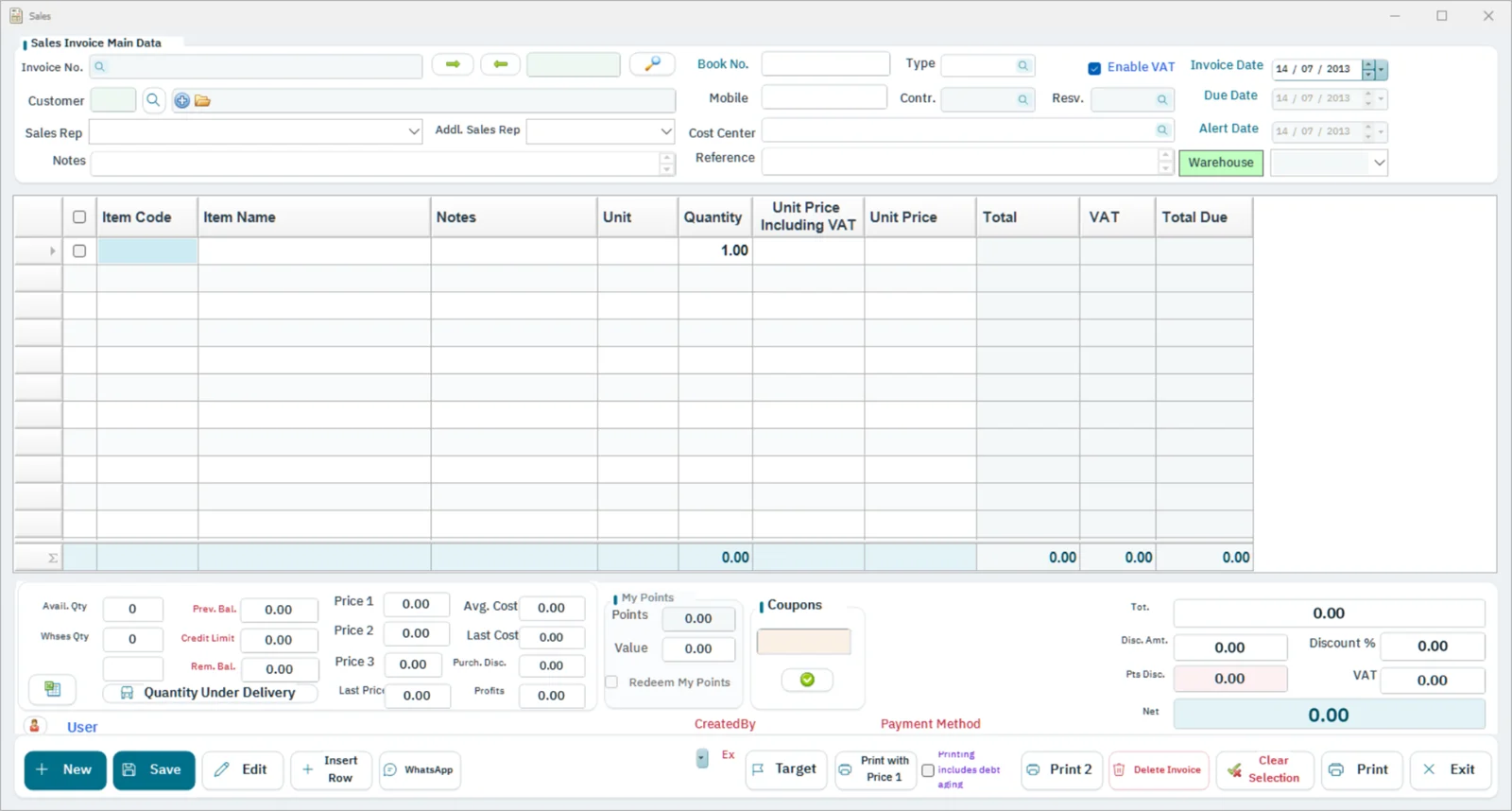
Sales invoice screen in FullScreen ERP
Sales invoice: Customer, sales rep and cost center, VAT per line, coupons and loyalty points, and printing and sending via WhatsApp.
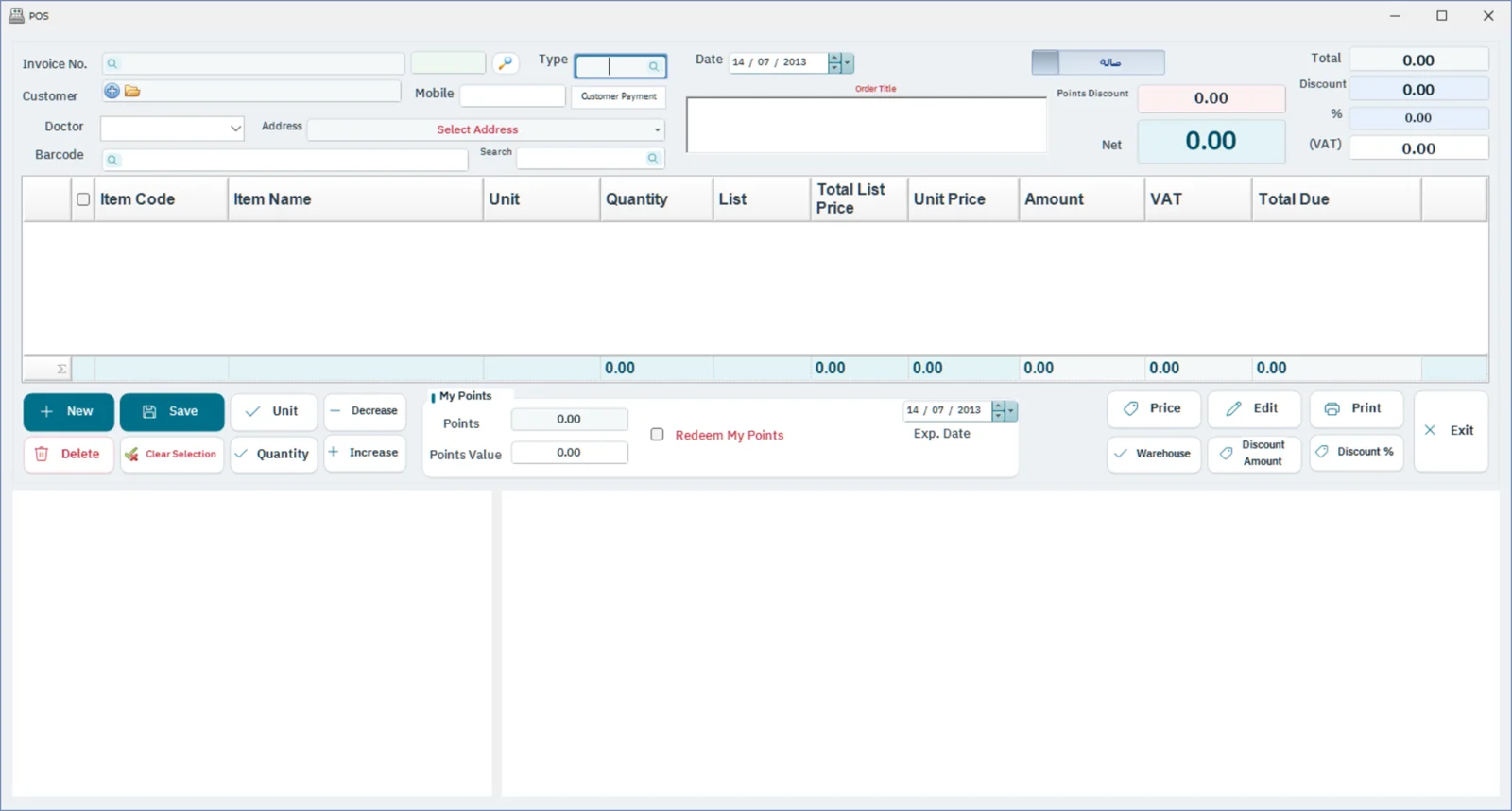
Point of sale screen in FullScreen ERP
Point of sale: Fast barcode sales, with discount, VAT and payment methods.
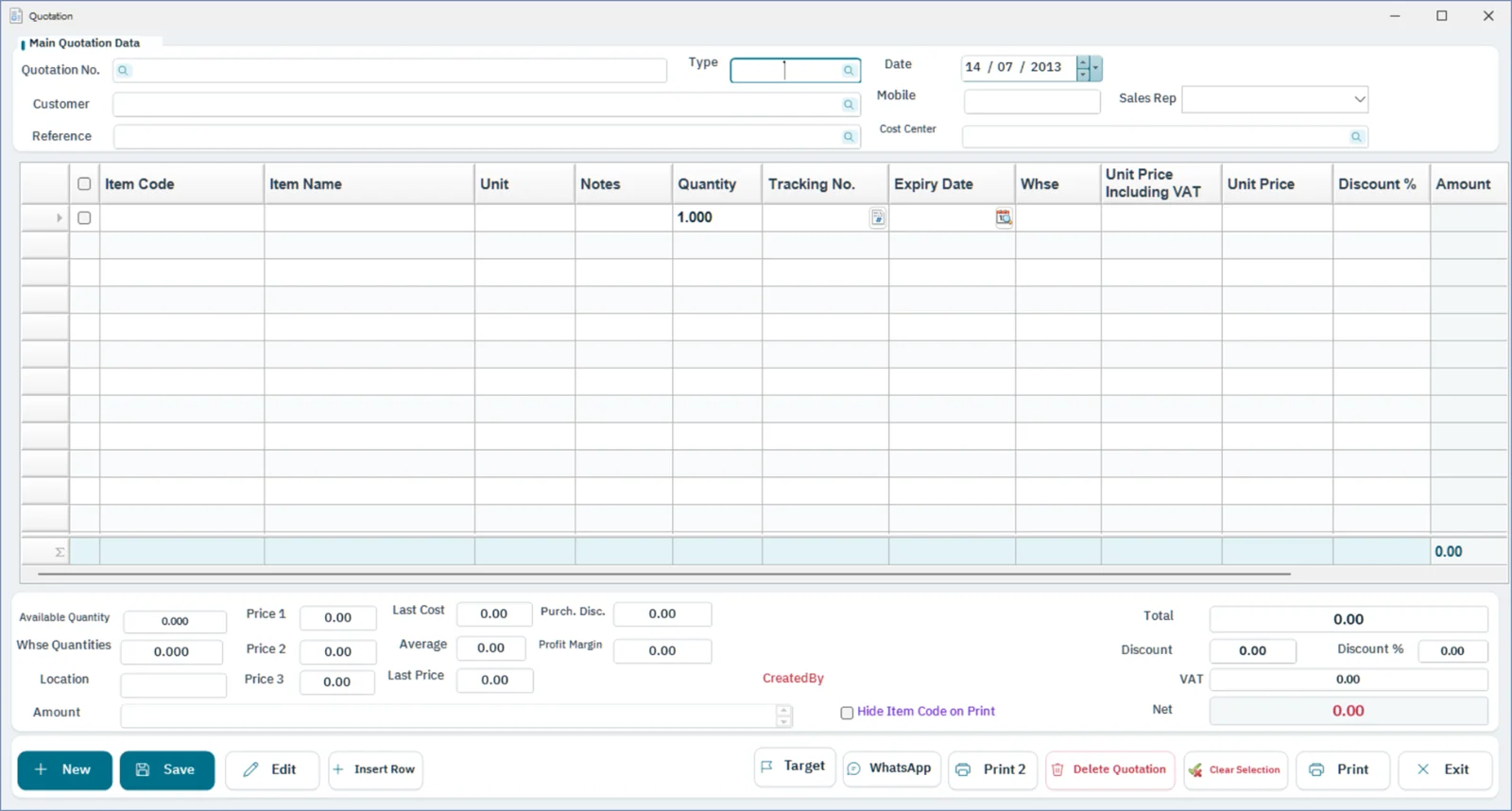
Quote screen in FullScreen ERP
Quote: A customer quote with items, prices and VAT.
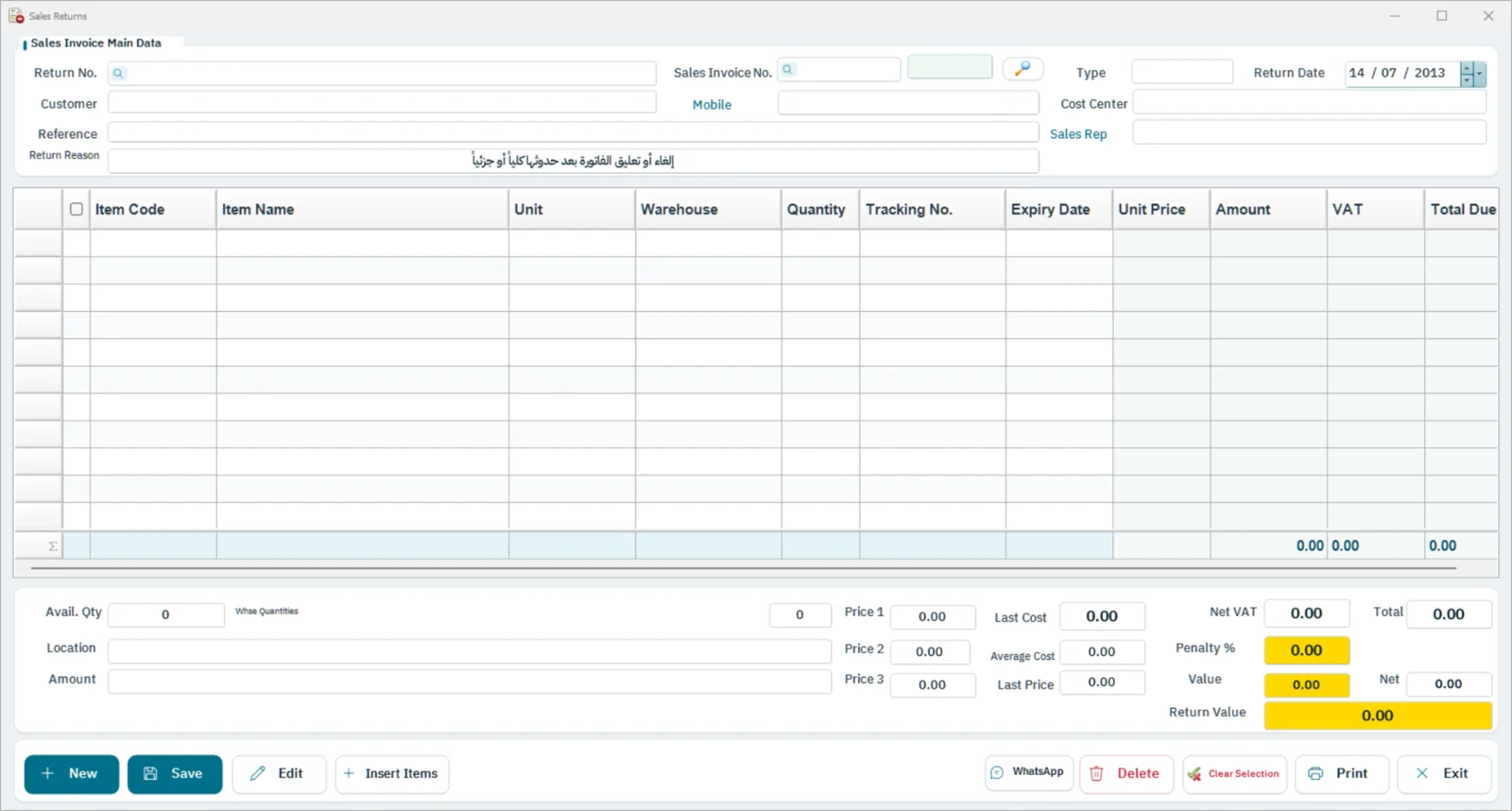
Sales return screen in FullScreen ERP
Sales return: A credit note linked to the sales invoice, with quantities and VAT.
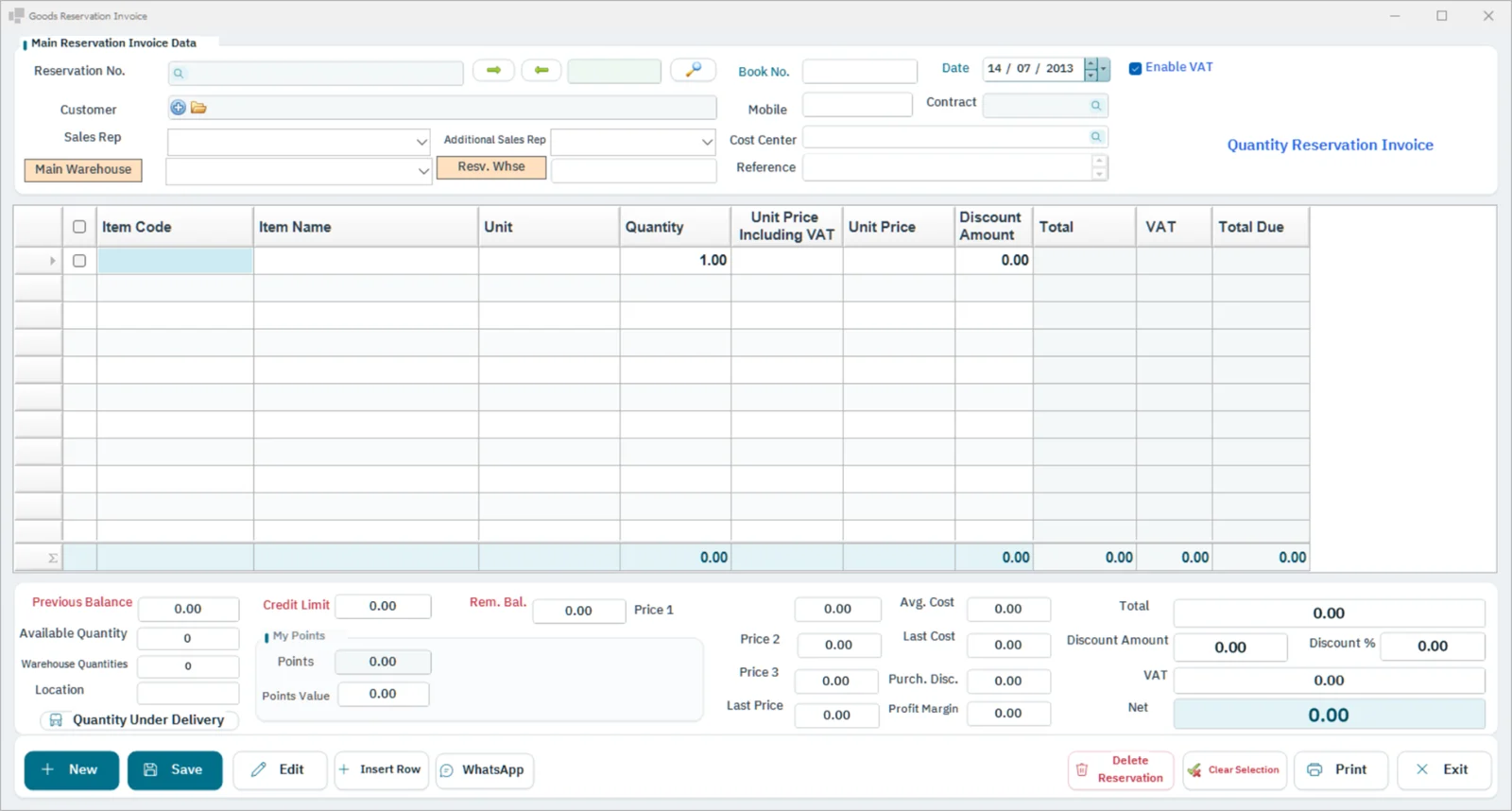
Goods reservation invoice screen in FullScreen ERP
Goods reservation invoice: Reserve quantities for a customer before delivery, and track reservations not yet invoiced.
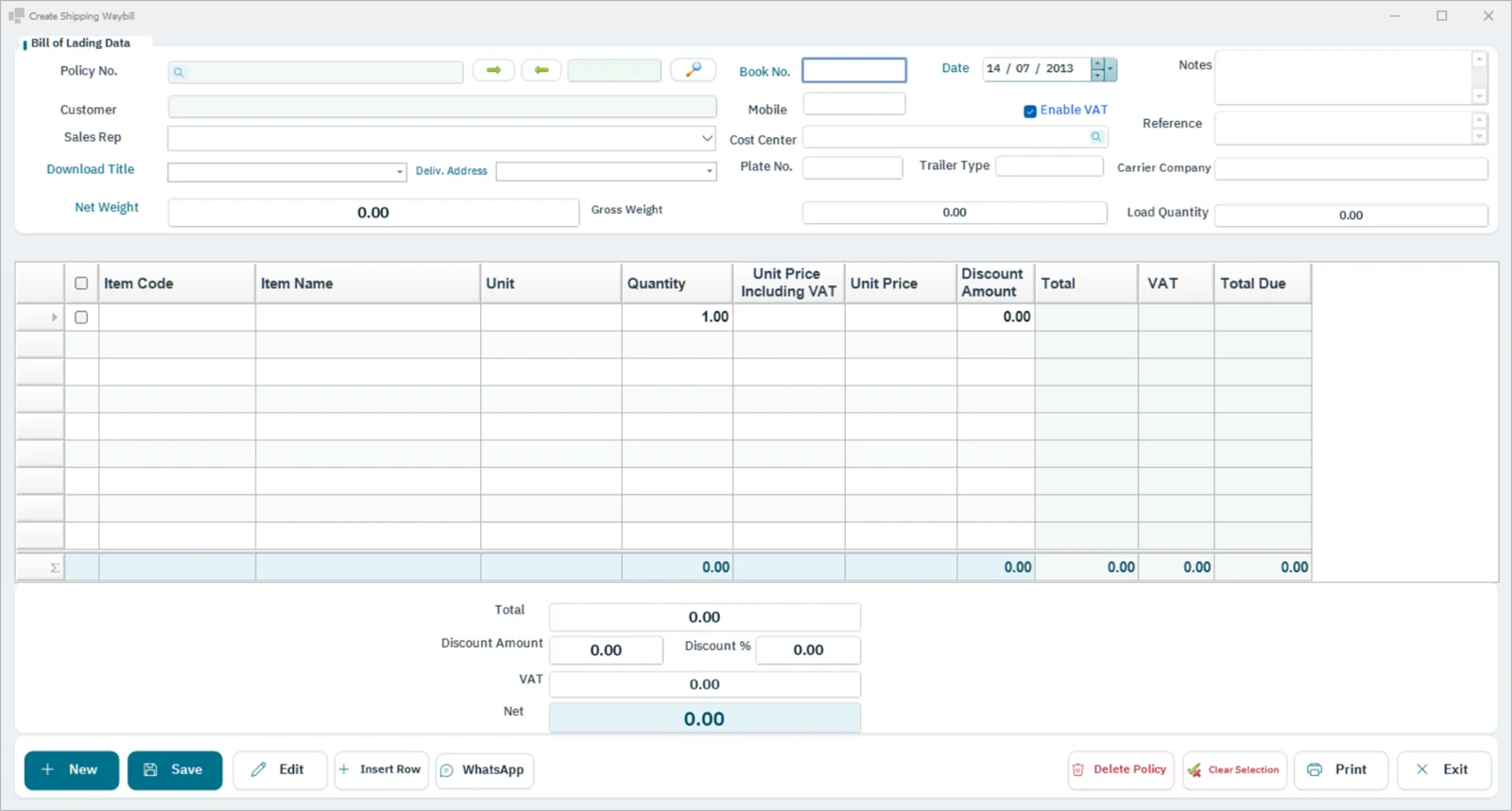
Shipping waybill screen in FullScreen ERP
Shipping waybill: Shipping waybills and shipping addresses for customer orders.
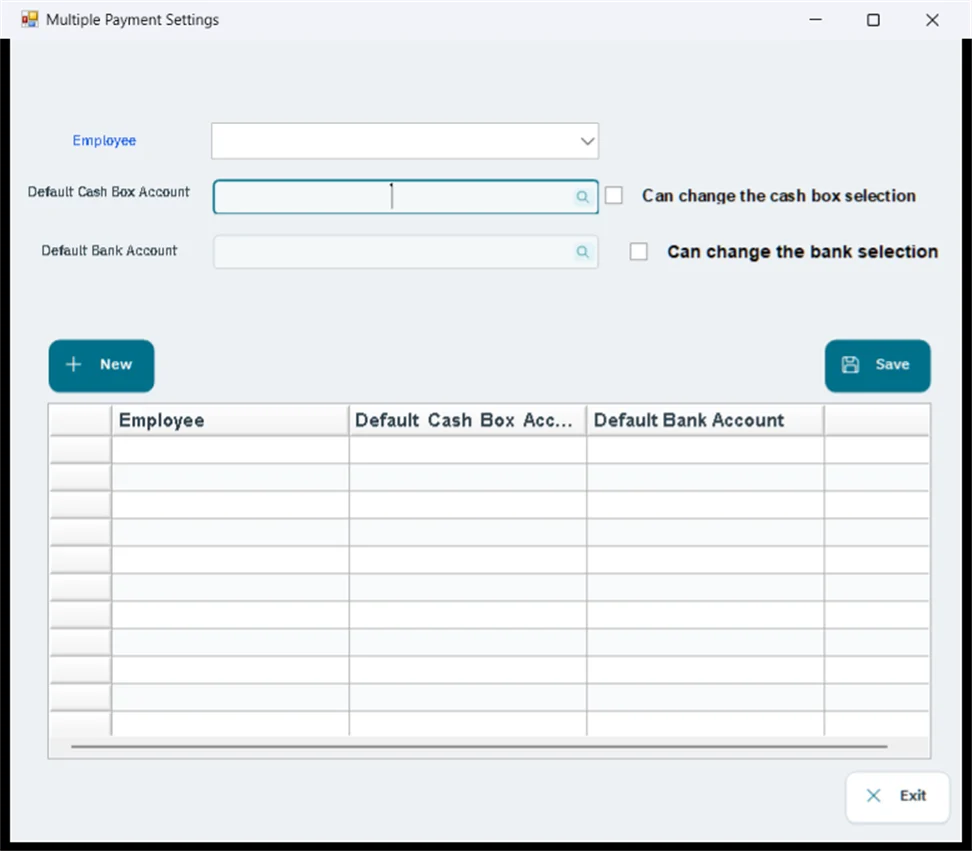
Multiple payment settings screen in FullScreen ERP
Multiple payment settings: Default cash box and bank for each employee, and payment by more than one method.
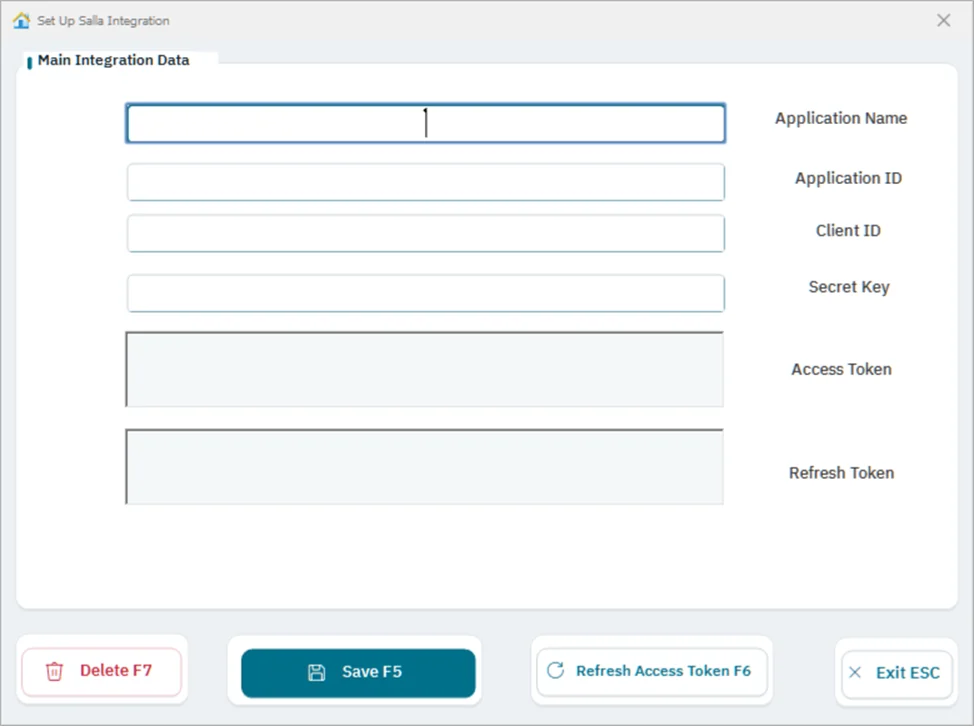
Salla integration screen in FullScreen ERP
Salla integration: Connect the store to sync items, prices and quantities, and to import orders and their invoices.
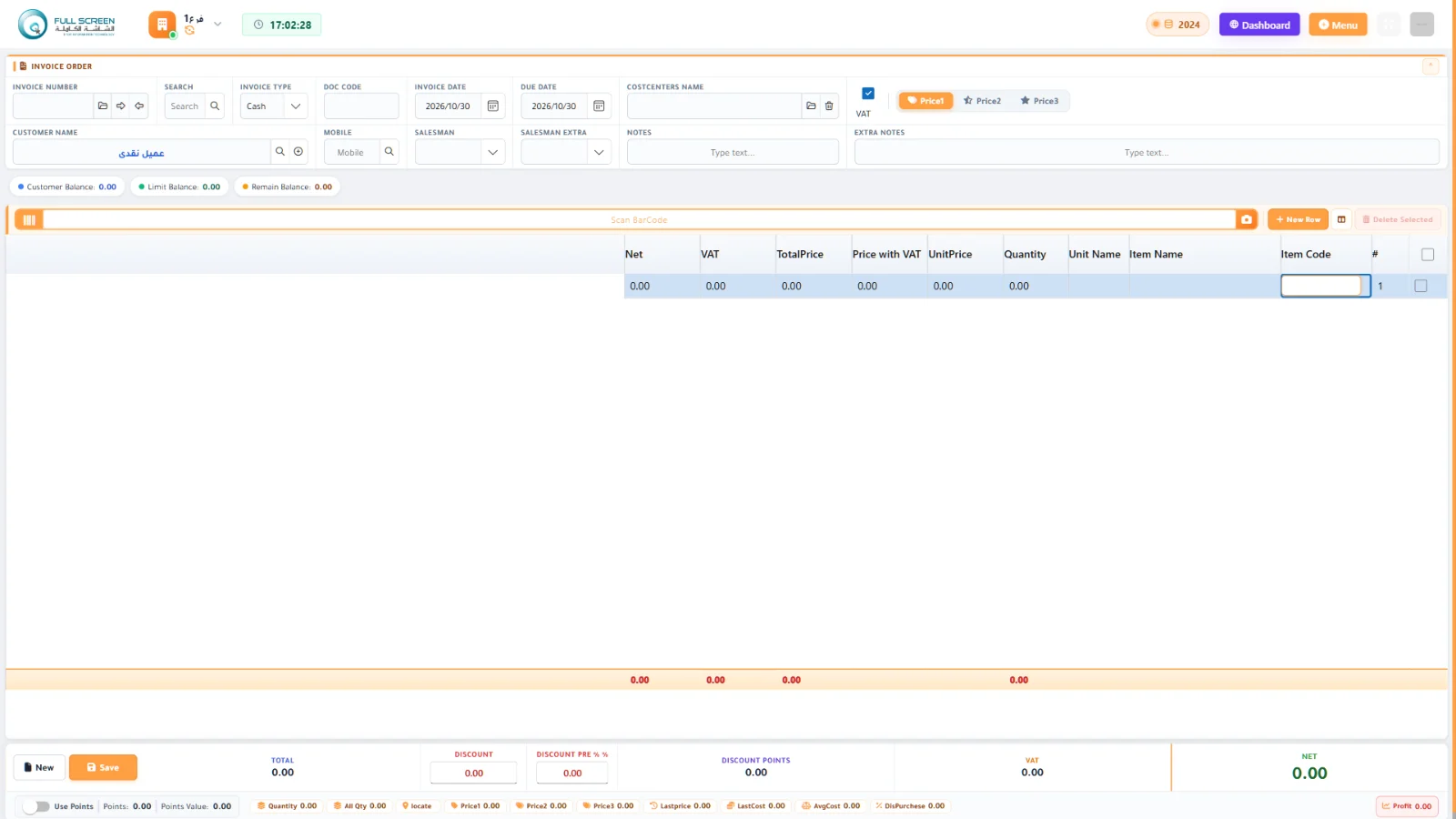
Sales invoice in the browser screen in FullScreen ERP
Sales invoice in the browser: The same sales cycle from any device, with no installation.
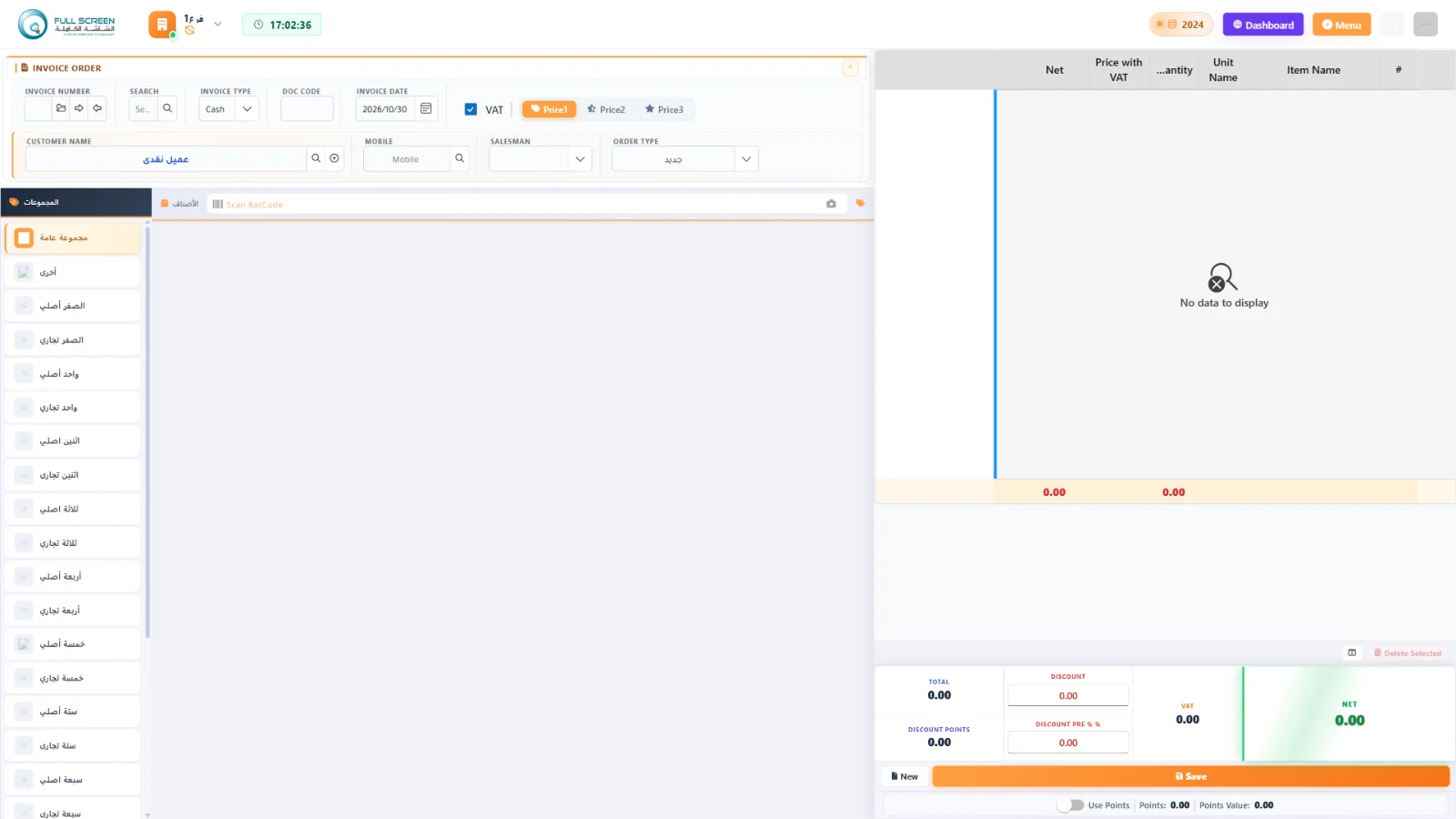
Point of sale in the browser screen in FullScreen ERP
Point of sale in the browser: Sell by item groups and barcode.

Workflow

QuoteSales orderInvoiceDeliveryCollection

Features

Barcode point of saleFast search by name, number, or barcode scan, and instant invoice printing
Cash and credit salesA credit limit for each customer with an alert when it is exceeded
ReturnsFull control over returns, linked to the original invoice
Discounts and pricingPrice lists and automatic adjustment of selling prices
E-invoicingTax and simplified invoices compliant with ZATCA requirements
User performance evaluationSales, returns, and discounts per cashier

Reports

  • Daily sales
  • Sales by item
  • Sales by customer
  • Sales by user
  • Returns activity
  • Customer statement
  • Receivables aging
  • Profit by invoice
  • Best-selling items
  • Branch sales

How it connects to the rest of the system

Every sales invoice updates inventory, accounts and VAT at the same moment: the item is deducted from the warehouse balance, the entry is generated in the general accounts, and the e-invoice is issued from the sale itself. With loyalty points and promotions, the cashier applies points and discounts on the same invoice without manual entry.

Questions about Sales and POS

Does the system support credit sales?
Yes, each customer has a credit limit with an alert when it is exceeded, and the reports include the customer statement of account and receivables aging.
How are returns handled?
The return is linked to the original invoice with full control over it, and it appears in the returns movement report.
Can I see each cashier's performance?
Yes, user performance evaluation shows each cashier's sales, returns and discounts, along with a sales report by user.

Let's start with your needs

Tell us about your business, and we'll arrange a demo or consultation within one business day.